

How to Build a Home Office That Boosts Productivity and Closes More Sales

A practical home office for sales professionals is a purpose-built workspace that blends ergonomic design, dependable tech, and simple routines to drive focus and improve close rates. This guide breaks down what makes a remote sales workspace work, why monitor and desk setups matter for fatigue and vocal presence, and how tech plus visual design shape client trust on video. You’ll get clear, actionable steps on ergonomics, small-space solutions, virtual-sales tools, wellness practices, and a prioritized upgrade plan tied to measurable sales results. We also outline how to turn physical upgrades into better conversion behavior and stronger client impressions across six focused sections — and show how our training (Tier 1 free, Tiers 2 & 3 paid) helps you put those changes into practice.
What Are the Essential Elements of an Ergonomic Home Office Setup?
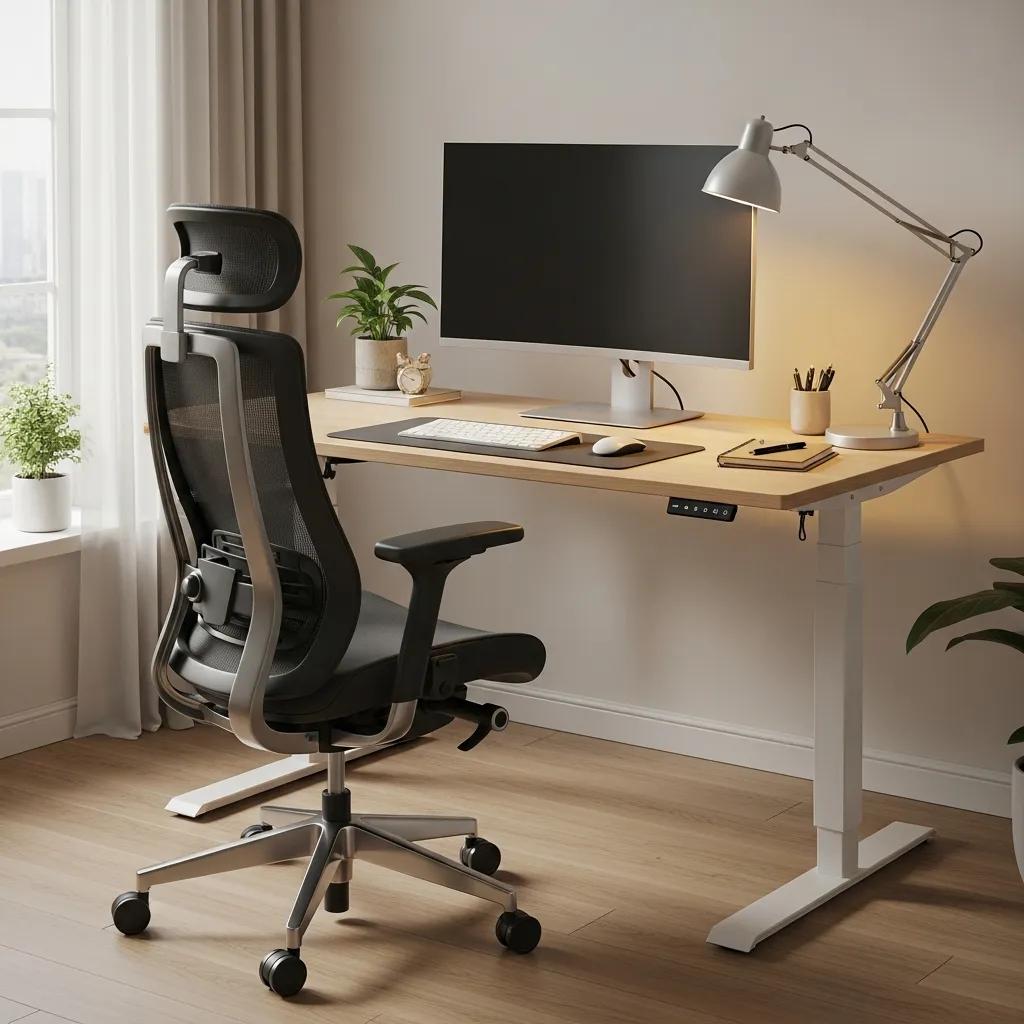
An ergonomic home office is about layout and furniture that cut physical strain and keep you focused during long selling days. Good ergonomics aligns the spine, supports neutral wrist and arm positions, and places visual targets at comfortable distances — all of which reduce fatigue and help you sound and look professional on calls. Core components include a supportive chair, the right desk height, correct monitor and keyboard placement, targeted task lighting, and nearby storage to limit repetitive reaching. Below is a compact checklist of the most impactful items for sales pros who spend hours on calls and admin.
- Supportive Seating: Adjustable lumbar and seat depth to reduce back ache during long call blocks.
- Adjustable Desk: A sit-stand option lets you change posture and cut sedentary strain.
- Monitor Alignment: Top of screen at or slightly below eye level to protect neck posture during video calls.
- Task Lighting & Storage: Focused light and close storage reduce eye strain and lower cognitive friction.
These basics create a reliable foundation for remote selling and prepare you for the more technical and small-space tweaks covered next.
Which Office Chair and Desk Features Boost Comfort and Focus?
Picking a chair and desk with the right adjustability reduces physical drain and preserves mental energy during long sales sessions. Look for chairs with adjustable height, tilt tension, armrests, and lumbar support to keep a neutral spine while you take notes or talk through estimates. Desks with height adjustment (sit-stand), enough surface for a laptop plus external monitor, and built-in cable management cut clutter and smooth workflows. The simple table below helps you compare options by adjustability, support, and practical value.
| Furniture Type | Key Feature | Value for Sales Pros |
|---|---|---|
| Ergonomic Office Chair | Adjustable lumbar and armrests | Reduces back fatigue during long calls |
| Height-Adjustable Desk | Sit-stand mechanism | Encourages posture changes and improves alertness |
| Compact Worksurface Desk | Built-in cable routing | Keeps meeting tools organized and within reach |
For most contractors, mid-range adjustable options balance durability and budget. Prioritize lumbar support and desk adjustability for the fastest comfort wins.
How Should Monitor and Keyboard Placement Support Long Sales Hours?
Correct monitor and keyboard placement protects posture and reduces repetitive strain — which preserves voice clarity and focus during virtual selling. Place the monitor so the top third of the screen is at or just below eye level and roughly an arm’s length away; this limits neck flexion and eye strain that can weaken on-camera presence. The keyboard and mouse should keep forearms about parallel to the floor with wrists neutral to prevent tendon stress while drafting proposals or entering CRM data. If you use dual monitors, keep your primary screen centered and angle the secondary slightly to reduce neck rotation and streamline screen sharing.
- Aim for an eye-to-screen distance of about 20–30 inches for standard monitors.
- Set keyboard height so your elbows sit near a 90-degree angle or a bit more open.
- Use risers or adjustable monitor arms to fine-tune alignment.
Small tweaks here yield quick reductions in fatigue and a noticeably more professional on-camera posture.
How Can Small Home Office Ideas Maximize Space for Sales Professionals?

When space is tight, smart layout and multi-use furniture let you create a professional sales workspace without a dedicated room. Maximize vertical storage, use fold-away surfaces, and define functional zones so you can switch fast between deep work and client-facing moments. Good small-office design keeps distractions down, preserves a tidy video backdrop, and keeps essentials — headset, tablet, paperwork — within arm’s reach. Below are the highest-impact, budget-friendly small-space solutions contractors and field reps can put in place fast.
- Vertical shelving and pegboards give storage without taking floor space and keep samples accessible.
- Fold-down desks or wall surfaces let you set up a professional meeting area in shared rooms.
- Mobile storage carts roll tools and devices into place for calls and tuck away when you’re done.
These approaches free floor area while keeping your environment consistently professional for video meetings and client visits. The comparison below helps you weigh common small-space furniture by footprint and use case.
| Solution Type | Footprint | Best Use Case |
|---|---|---|
| Wall-Mounted Fold Desk | Small | Temporary meeting surface in shared rooms |
| Vertical Shelving | Small | Displaying samples and organized storage |
| Mobile Storage Cart | Compact | Portable tool staging for client calls and visits |
Summary: Favor vertical and mobile solutions to reduce visual clutter and speed transitions between calls and fieldwork.
What Are Effective Vertical Storage and Multi-Functional Furniture Solutions?
Vertical storage and multi-use furniture give you more function without a bigger footprint. Tall shelves, pegboards, and cabinets keep materials organized and out of sight on camera. Multi-purpose pieces — benches with hidden compartments, desks that fold into cabinets, stools that double as side tables — add flexibility for contractors balancing field gear and sales tasks. On a budget, DIY pegboards and reclaimed shelving scale well as your business grows.
- Install shelving above your desk to hold samples and binders.
- Use labelled bins and cord organizers for quick access during meetings.
- Choose fold-away surfaces for shared bedrooms or living spaces.
These solutions keep your backdrop tidy while maximizing usable space for sales work and client demos.
How to Define Zones and Organize Shared or Limited Spaces?
Defining zones makes a small room read as an intentional workspace instead of clutter. Use visual cues — rugs, a standing desk location, or focused lighting — to mark work, meeting, and break areas so you can switch roles quickly. Block sound with a bookshelf or room divider and adopt a short setup/teardown routine to keep client calls free from household noise. Create morning and evening resets: stow tools, clear visible surfaces, and test audio/video before the first client call to protect your professional image.
- Work zone: Desk with primary monitor and headset
- Meeting zone: Clean backdrop area with neutral decor for video calls
- Break zone: Small chair or corner for micro-breaks between sessions
These zone habits reduce friction, protect deep work time, and make your workspace reliable for every client interaction.
What Are the Virtual Sales Office Essentials for a Professional Remote Workspace?
A virtual sales office needs stable connectivity, clear audio/video, controlled lighting, and software that ties into your CRM. Together these elements let you present proposals, share screens, and handle objections without technical friction or visual distraction. Core items include broadband with sufficient upload speed, a quality webcam and mic, noise control or noise-cancelling headphones, and a tested meeting workflow that supports screen sharing and notes. Below is a prioritized tech checklist with recommended specs for steady, professional client calls.
- Internet: Stable broadband with at least 5–10 Mbps upload for HD video.
- Camera: 1080p webcam for clear, professional video framing.
- Microphone: Directional USB mic or headset with noise-cancelling for clear speech.
- Software: Scheduling tools, CRM access, and meeting platforms with screen share.
Workplace Ergonomics: Solutions for Home Office Health Issues
During the COVID-19 shift to remote work, many people reported neck, back, and strain injuries linked to poor home setups. As WFH continues for many, it’s important to identify those ergonomic problems and apply practical solutions to reduce injury risk. This study outlines common issues and recommends measures to improve home-office posture and comfort.
Workplace ergonomics problems and solutions: Working from home, JA Yeow, 2021
We also explain how small, targeted workspace changes pair with our training — sign up for Tier 1 free, or consider Tiers 2 & 3 — to turn setup improvements into better closing behavior.
| Component | Key Attribute | Recommended Use |
|---|---|---|
| Webcam | Resolution (1080p) | Professional face-to-face meetings |
| Microphone | Polar pattern (cardioid) | Clear voice pickup, reduced ambient noise |
| Lighting | Lux / color temp (4000K-5600K) | Natural-looking skin tones on camera |
Summary: Investing in reliable tech cuts meeting friction and raises perceived competence during pitches and virtual walkthroughs.
Which Technology Tools Ensure Seamless Virtual Sales Meetings?
Your hardware and software choices shape meeting flow, client perception, and your ability to demo products or share estimates smoothly. Use a 1080p (or better) webcam for crisp detail, a cardioid USB mic or headset for focused voice capture, and noise-cancelling headphones if ambient sound is an issue. On the software side, pick a meeting platform with screen sharing, a calendar that syncs with your CRM, and keep an offline copy of presentations as a backup. Run a short pre-call checklist — camera framing, audio levels, screen-sharing permissions — before every client meeting to avoid avoidable interruptions.
- Check camera framing: neutral backdrop, head-and-shoulders centered.
- Confirm microphone levels and mute behavior before joining.
- Keep a PDF or offline copy of proposals for contingencies.
Consistent testing and CRM integration turn tools into predictable workflows that support closing rather than distract from it.
How to Optimize Lighting and Noise Control for Virtual Client Interactions?
Lighting and sound shape client impressions and ensure your message and demos come through clearly. Place a key light at about a 45-degree angle in front of you and add a soft fill to avoid harsh shadows; aim for 4000K–5600K for natural skin tones. Cut echo and background noise with soft materials, acoustic panels, or bookshelves; portable fixes like a USB foam shield behind your mic can help in echo-prone rooms. If light is limited, face a bright window and supplement with an LED panel; if noise is the problem, use a directional mic or noise-suppression software.
- Place a soft key light slightly above eye level for flattering, professional illumination.
- Add a small backlight to separate you from the background and create depth.
- Use simple acoustic steps — rugs, curtains, bookshelves — to reduce reverberation.
These adjustments make your on-camera presence clearer and warmer, helping clients focus on your message instead of the room.
How Does Home Office Design Enhance Productivity and Professionalism?
Thoughtful design choices help both your cognitive performance and the client’s perception of competence — and together those things improve sales outcomes. A tidy, intentionally arranged backdrop signals organization and reliability; uncluttered surfaces and a restrained color palette reduce cognitive load for you and visual distraction for clients. Design moves like a neutral backdrop, a single branded accent, and minimal on-screen clutter help clients pay attention to the pitch, estimate, or sample you’re presenting. We also show how combining these physical upgrades with training (Tier 1 free, Tiers 2 & 3 paid) converts better presentation into higher close rates.
Smart backdrop and clutter strategies turn visual professionalism into measurable trust that smooths negotiations and supports stronger closes.
What Role Does a Professional Backdrop Play in Client Impressions?
A professional backdrop is a silent credibility signal: it helps clients take you seriously and trust your recommendations. Choose a clean, neutral background with one subtle branded or industry-relevant item (for example, a single sample board) so you look credible without distracting the viewer. Avoid busy patterns, moving elements, or obvious household clutter that pull attention away from your message. Quick DIY options include a plain wall with one framed piece, a portable backdrop panel, or a shallow bookshelf styled to look deliberate and tidy.
- Keep the backdrop neutral and uncluttered with one or two curated props.
- Ensure the background is well lit and contrasts subtly with your clothing.
- Remove personal items that could create distracting associations.
A consistent, professional backdrop improves first impressions and increases the chance clients will focus on value-based conversations.
How Can Clutter Reduction and Aesthetic Choices Improve Focus?
Clutter raises cognitive load and eats the bandwidth you need for listening, objection handling, and presenting solutions — all core tasks in remote sales. Use simple storage to keep frequently used items visible and within reach, and store less-used tools out of sight. Adopt a restrained palette and consistent textures to lower visual noise and support calm focus during back-to-back calls. A five-minute daily reset — clear the desktop, stow paperwork, and check camera framing — creates a reliable baseline and preserves a professional impression.
- Use trays or desktop organizers to keep essentials at hand.
- Adopt a "one-in, one-out" rule for samples to prevent accumulation.
- Schedule short resets between meetings to stay presentation-ready.
These habits lower stress, improve call quality, and help you present proposals with clarity and composure.
How Can Wellness and Biophilic Design Boost Sales Performance in Home Offices?
Wellness and biophilic design — adding natural light, plants, and movement — support cognition, mood, and sustained energy, which in turn boost sales performance. Daylight helps regulate circadian rhythms and keeps you sharper on calls; plants reduce perceived stress and warm up your backdrop. Simple movement habits, like standing during blocks of work or taking micro-breaks between meetings, cut fatigue and sharpen reasoning during negotiations. Below are practical wellness integrations that fit most home-office setups.
- Maximize daylight: Face your desk toward natural light when possible to stay alert.
- Add low-maintenance plants: Small options like snake plants or pothos improve air quality and visual calm.
- Schedule micro-breaks: Two- to five-minute movement or breathing resets between calls restore focus.
Combined, these practices help prevent burnout and steadily raise the quality of client-facing interactions.
What Are the Benefits of Natural Light and Plant Integration?
Natural light and plants lift mood, concentration, and perceived warmth — all important for salesperson performance and client receptivity. Daylight reduces mid-afternoon slumps and improves daytime alertness. Low-maintenance plants add texture and a human touch to your backdrop, which can increase rapport and approachability. Place plants so they add depth without distracting from demos; pick resilient species that thrive with minimal care for reliable results in small spaces.
- Place a plant near the camera but slightly to the side to add visual depth.
- Use daylight as your primary light source and balance with soft LEDs as needed.
- Choose drought-tolerant plants to avoid frequent maintenance.
These small biophilic tweaks compound into more energetic days and friendlier client impressions.
How to Incorporate Break Zones and Mindfulness for Remote Sales Success?
Small break areas and brief mindfulness routines help prevent cognitive fatigue and keep you sales-ready throughout busy days. A break zone can be a single comfortable chair with a lamp and a plant, physically separate from your meeting backdrop to signal transition. Between calls, try a 2–3 minute breathing exercise or a quick standing mobility routine to reset posture and ease tension. Block time for deep work and client meetings to protect attention windows and reduce costly context switching.
- Create a one-minute pre-call routine: check lighting, mute distractions, and center your breath.
- Use a timer to enforce movement breaks every 60–90 minutes.
- Reserve the break zone for relaxation to reinforce psychological separation between work and rest.
Structured transitions keep you present on calls and reduce the gradual performance drift that can hurt closing rates.
What Actionable Steps Transform Your Home Office into a High-Performance Sales Workspace?
Turn your home office into a high-performance sales space with a short audit, a set of quick wins, and a roadmap for bigger investments tied to measurable sales outcomes. Start by auditing ergonomics, tech reliability, backdrop cleanliness, and how your workflow connects to your CRM and meeting tools. Fix the things that directly affect client perception first — audio, internet stability, and a clean backdrop — then invest in ergonomics and space optimization. Measure impact by recording calls (where legal), tracking no-shows and conversion rates before and after upgrades, and logging simple self-reports on fatigue and confidence.
- Run a 20-minute audit covering ergonomics, tech, lighting, and clutter.
- Apply quick wins: adjust monitor height, add a microphone, and improve key lighting.
- Plan medium-term upgrades: a sit-stand desk, acoustic treatments, and a professional webcam.
We also show how our training ties these changes into selling routines — try Tier 1 free, or upgrade to Tiers 2 & 3 for deeper coaching.
Summary: These steps convert physical improvements into operational gains you can measure against sales activity and client feedback.
How to Assess and Upgrade Your Current Home Office Setup?
A fast assessment looks at four areas — ergonomics, tech, backdrop, and workflow — and ranks each by ease of fix and expected sales ROI. Start with a quick checklist: can you sit comfortably for two hours; is audio crystal clear on a test call; does your background look professional; can you access CRM screens while speaking? Prioritize fixes as immediate (under $100), medium ($100–$500), and long-term (premium purchases). After each change, run one client call and note shifts in confidence, call length, and follow-up results.
- Immediate: fix lighting, tweak microphone levels, and declutter the backdrop.
- Medium: add a better chair or monitor arm; install vertical storage.
- Long-term: invest in a sit-stand desk or professional video lighting.
This staged approach keeps disruption low while delivering measurable gains in meeting quality and comfort.
How Does Home Improvement Closer Support Your Professional Growth Through Sales Training?
Home Improvement Closer provides a tiered Contractor Training Program built on the RPC Framework to help you translate workspace upgrades into repeatable closing behavior. Tier 1: Foundation (FREE) covers the RPC basics and gives community access so you can start without commitment. Tier 2: Mastery ($149/mo or $124/mo billed annually) focuses on consistent closing and advanced objection handling to convert improved virtual presence into higher close rates. Tier 3: Ownership ($250/mo or $208/mo billed annually) helps owners scale and command premium pricing, with community perks and higher-touch resources. Paid tiers include a 60-day money-back guarantee, active community forums, monthly live Q&A sessions, and options for 1-on-1 consultation at higher levels.
Pairing targeted workspace upgrades with the RPC training helps you turn better ergonomics and presentation into measurable improvements in client conversions and business growth.
Frequently Asked Questions
What are some tips for maintaining a clutter-free home office?
Keep a clutter-free space with smart storage and short habits. Use trays and desktop organizers for daily essentials, and store less-used items out of sight. Follow a "one-in, one-out" rule for samples to avoid buildup, and run a quick reset between meetings to clear surfaces. Don’t forget digital declutter: organize files and inboxes so you can find what you need quickly and reduce mental friction during calls.
How can I improve my video call quality for client meetings?
Improve call quality with stable internet (5–10 Mbps upload), a 1080p webcam, and a directional mic for clear audio. Add soft, front-facing lighting to reduce shadows, and test framing and levels before each call. These basics keep meetings professional and reduce avoidable interruptions.
What are some effective ways to incorporate wellness into my home office?
Bring wellness into the workspace by maximizing natural light, adding low-maintenance plants, and scheduling micro-breaks for movement or breathing. These small steps boost alertness, reduce stress, and help you stay present across long sales days.
How can I create a professional backdrop for video calls?
For a professional backdrop, choose a clean, neutral wall or a simple, organized shelf. Keep decor minimal and industry-relevant, avoid busy patterns or personal clutter, and make sure the background is well lit and contrasts with your clothing. A single branded item or neat sample display can add credibility without distraction.
What role does ergonomics play in a home office setup?
Ergonomics directly affects comfort, productivity, and health. A supportive chair, a desk at the right height, and proper monitor placement reduce strain and help you stay focused during long sessions. Prioritizing ergonomics improves performance on calls and lowers the risk of injury.
How can I effectively manage distractions in a shared home office space?
Manage distractions by setting clear boundaries and organizing zones. Use visual cues like rugs or lighting to signal work time, wear noise-cancelling headphones during calls, and establish a routine for setting up and packing away your workspace. Communicate your schedule with household members so they can respect focused work blocks.
What are the benefits of using biophilic design in a home office?
Biophilic design — adding natural elements like plants and daylight — improves mood, lowers stress, and enhances focus. These changes make the space more inviting and energizing, which supports creative thinking and sustained attention during client interactions.
Conclusion
A well-designed home office is a practical lever for better productivity and stronger sales results. By focusing on ergonomics, dependable technology, and clear organization — and pairing those changes with the right sales training — you can improve client interactions and close more deals. Start with the quick wins in this guide, then consider our training options (Tier 1 free, or Tiers 2 & 3 for deeper support) to turn a better workspace into measurable business growth.