

Sales Presentations Homeowners Say “Yes” To: Practical, Proven Strategies for Contractors
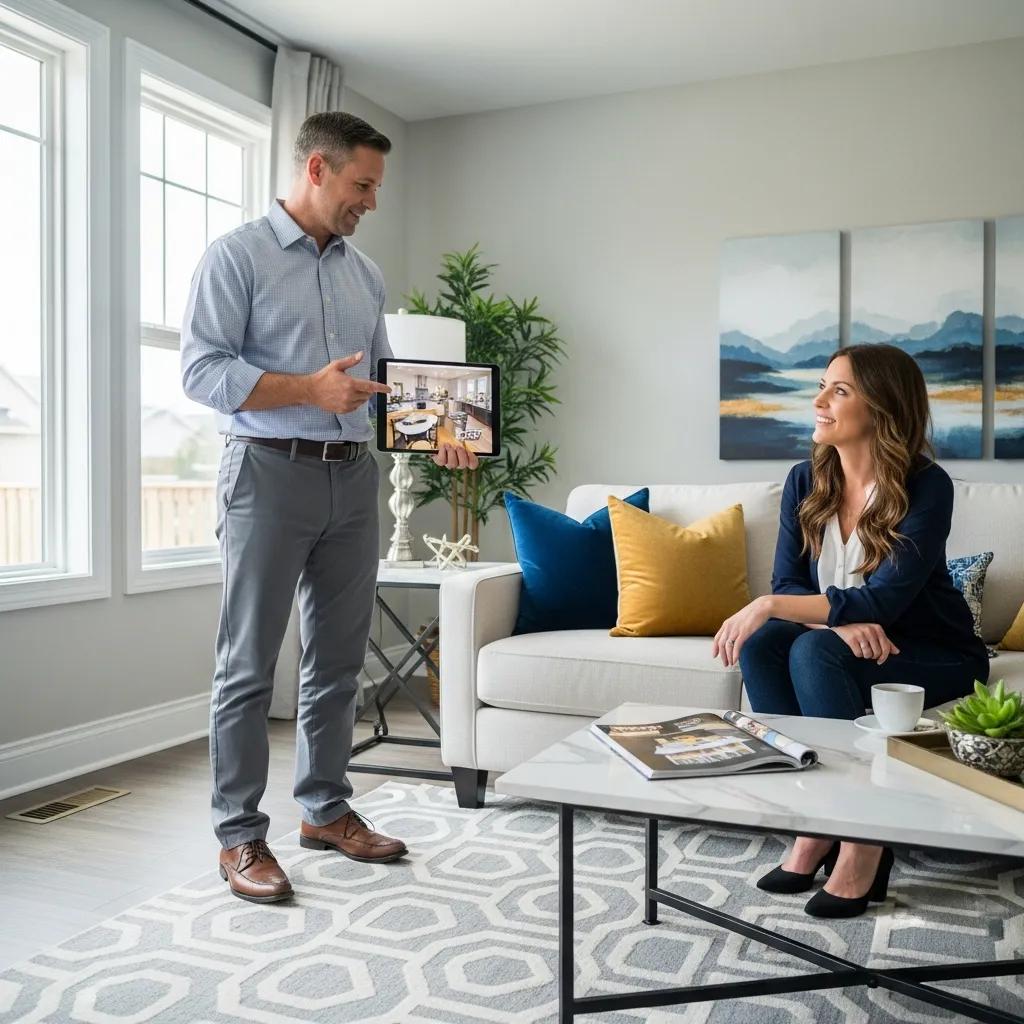
A high-converting sales presentation does more than list features — it shapes how homeowners see the job, lowers perceived risk, and nudges them toward your best solution. This guide gives contractors field-ready tactics rooted in renovation sales psychology and visual selling so you can present with confidence, justify premium pricing, and close more jobs on-site. You’ll learn to read buyer cues, build a repeatable presentation flow, use before-and-after photos and 3D renderings the right way, handle objections with ready scripts, and deploy mobile tools that speed decisions. Each section includes templates, an EAV-style quick-reference table, and mobile-first workflows you can use from the truck today. The focus: consultative selling, effective demos, and one-call close methods you can put to work immediately to lift close rates and average ticket size.
How does homeowner psychology make your presentations more effective?

Homeowner psychology is about spotting what drives a decision, where doubts come from, and how to frame solutions so people feel confident hiring you. The trick: reduce uncertainty — show targeted social proof, set clear timelines, and match your communication to the buyer’s style. Listen for buying signals, then adapt your demo for visual, analytical, or hands-on buyers. Use those cues to pre-handle objections before they surface and keep the path to a proposal smooth.
Which buyer behaviors should contractors watch for?
Listen and watch for cues that reveal priorities: repeated cost questions usually mean price-sensitive; questions about materials or warranties point to a value-minded buyer. Visuals persuade image-driven buyers, data convinces analytical types, and samples win over tactile homeowners. Tailoring your language and proof to each type builds trust and makes your recommendation feel like the obvious choice. Watch for readiness signals — nods, timing questions, or financing asks — so you can move into a trial close without overstepping.
How does building quick rapport and trust speed decisions?
Rapport and credibility shorten the sales cycle because homeowners assume lower risk when they trust you. Credibility comes from professional visuals, clear timelines, solid references, and a simple process that sets expectations. Start with lines that validate the homeowner’s concerns, then move into a structured discovery to show competence. Layer in short, relevant social proof — a case vignette or a quick before-and-after — to convert rapport into willingness to accept premium options.
What makes a sales presentation structured and persuasive?
A converting presentation moves a homeowner forward at every step: Hook, Discover, Educate, Demonstrate, Close. In practice: name the problem, present tailored solutions, prove them visually, and offer priced options so the premium choice reads as the sensible one. Consistent timing and transitions keep meetings focused and let you pre-handle objections. Below is a quick comparison of each element plus scripts you can use in the field.
| Presentation Element | What it Communicates | Example / Script Snippet |
|---|---|---|
| Hook (Opening) | You get the homeowner’s top pain point | "Tell me the one thing you’d change first in this space." |
| Discover (Diagnosis) | You surface constraints and priorities | "If we could fix X without disrupting Y, how would that affect your decision?" |
| Educate (Value) | You explain why your recommendation matters | "This material lasts longer and cuts maintenance costs over time." |
| Demonstrate (Visual Proof) | You lower perceived risk with images and samples | "Here are two recent jobs that solved the same problem — notice the finish and durability." |
| Close (Proposal) | You present clear options and next steps | "Based on what you told me, here are three paths — which fits your timeline and budget?" |
This step-by-step approach builds trust and reduces friction. It also creates natural moments to introduce demos and pricing without sounding defensive. The next section drills into timed agendas and keeping homeowners engaged through the meeting.
How should contractors structure their presentation for maximum engagement?
Time-box each phase so homeowners see progress and you control the agenda: 3–5 minutes rapport, 5–10 minutes discovery, 10–20 minutes demo and samples, and 5–10 minutes for the proposal and next steps. Use transition lines to move from diagnosis to demo: "Based on that, let me show the best option for durability and long-term value." Keep visuals single-column and annotated to guide attention, and finish the demo with a trial close to test readiness. Time-boxing keeps meetings efficient and prevents scope creep.
Why storytelling matters in home improvement sales
Storytelling turns features into homeowner outcomes by framing the job as a transformation. Use problem → solution → outcome: describe a common issue, explain the fix you delivered, and quantify the homeowner’s gain (comfort, resale value, lower upkeep). Short, trade-specific vignettes stick — for example: "We rebuilt a deck for a family that now entertains three times a month without worrying about splinters." Stories make proposals feel outcome-driven, not transactional, and prime homeowners for premium choices.
Which visual selling techniques help homeowners picture the finished job?
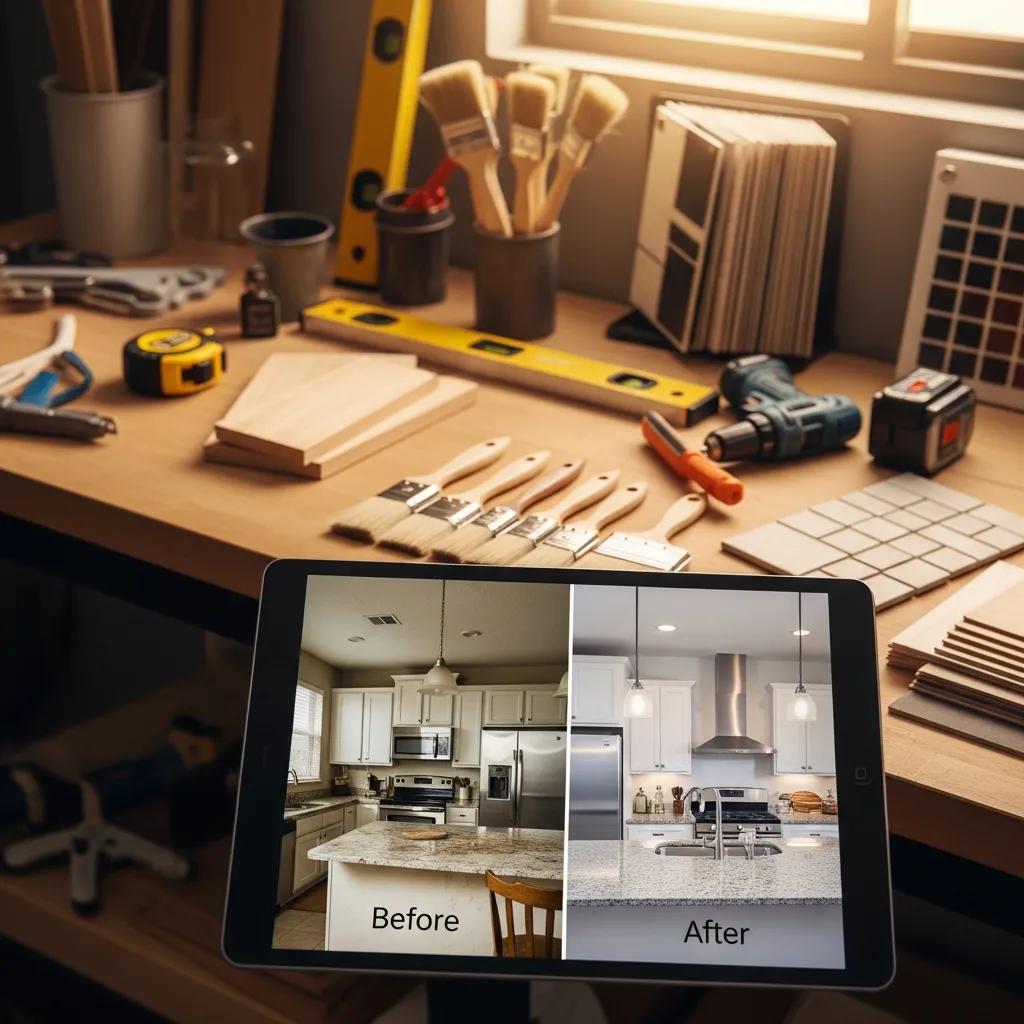
Visual selling reduces uncertainty by making results tangible: before-and-after galleries reassure, 3D renderings clarify layouts, sample boards let homeowners feel finishes, and virtual tours let them mentally live in the completed space. Always present visuals tied to the homeowner’s priorities so each image answers a specific concern (durability, aesthetics, maintenance). Use mobile-optimized galleries and short captions to keep attention on-site. Below are the top visual tools and a one-line impact for each.
- Before-and-after photos: Show deliverable outcomes and cut perceived risk.
- 3D renderings: Resolve layout questions and justify higher-value options.
- Virtual tours/AR previews: Help homeowners visualize changes at scale and boost emotional buy-in.
- Product sample kits: Provide tactile confirmation and support premium positioning.
- Short video walk-throughs: Highlight process and craft to strengthen credibility.
Pair visuals with tight narration that links each image to a homeowner benefit, and use them selectively so you don’t overwhelm the client. The table below compares common visual tools and practical implementation tips.
| Visual Tool | Best Use Case | Impact / Implementation Tip |
|---|---|---|
| Before-and-after galleries | Risk reduction and social proof | Curate 3–5 close matches; caption each with the homeowner benefit |
| 3D renderings | Layout decisions and premium justification | Reserve renderings for higher-value changes and annotate costs vs. value |
| Virtual tours / AR | Immediate on-site visualization | Load lightweight AR models on a tablet to avoid lag |
| Product sample kits | Material selection and tactile reassurance | Carry a compact kit with top-selling finishes for quick demos |
| Short process videos | Show workmanship and timeline | Keep videos under 60 seconds; highlight start-to-finish milestones |
Pick the mix of visuals that fits your trade, project complexity, and buyer type. The next section explains how to pre-handle objections with scripts and structured responses.
How do before-and-after photos and 3D renderings strengthen your case?
Before-and-after photos act as social proof and set realistic expectations, lowering perceived risk. 3D renderings build on that by resolving layout questions and letting homeowners compare options visually — a strong way to justify premium choices. Always caption images to tie visuals back to homeowner priorities and use comparison shots to highlight value differences. High-quality, relevant sequencing of images increases homeowner confidence and speeds agreement.
Which digital tools and samples support visual selling best?
Mobile-friendly gallery apps, lightweight rendering tools for quick on-site tweaks, and e-signature-enabled proposals work best for field reps who need persuasive, fast tools. Keep a small sample kit with your highest-converting materials and pair each sample with a brief case caption. Sync visual assets with your CRM so you can include the same images in follow-ups and proposals. Optimize file sizes for cellular connections and prioritize visuals that answer top objections like durability and upkeep.
How can contractors handle objections to close more deals?
Objection handling starts with pre-handling: bring up common concerns before homeowners do, frame your response in value terms, and use short scripted replies that steer the conversation back to impact, not price. The pattern: acknowledge the concern, ask a clarifying question, respond with a concise value statement, then use a trial close. Role-play and recording help you internalize confident delivery. Below is an EAV-style table listing common objections, the real worry behind them, and suggested scripts you can use in the field.
| Common Objection | Underlying Concern | Suggested Script / Tactic |
|---|---|---|
| "It's too expensive." | Fear of overpaying | "I hear that — can I show the lifespan and maintenance savings that make this option cost-effective over time?" |
| "We want three bids." | Need for comparison and reassurance | "Many homeowners do that — what specifically would you like to compare so I can show how our scope differs?" |
| "I need to think about it." | Decision anxiety or lack of urgency | "What part would you like to think through — timeline, budget, or design — so I can clarify it now?" |
Practice these scripts in role-play so they sound natural and confident. For teams wanting deeper script banks and role-play coaching, Home Improvement Closer offers a Tier 2: Mastery level focused on scripts and role play priced at $149/month or $1,788/year to help crews internalize these responses.
What scripts work best for common homeowner objections?
Strong scripts follow a simple pattern: empathize, clarify, respond with value, then close with a question that tests readiness. For price pushback, anchor and offer phased options: "If budget is the main concern, would you prefer a phased approach that hits the key outcomes sooner?" For "I need to think" answers, ask what’s missing: "What would you need to see tonight to feel comfortable moving forward?" Be decisive without pressure — a clear, confident delivery signals professionalism and narrows negotiation. Regularly A/B test phrases in role-plays to see what works in your market.
How does confident pricing reduce price objections?
Confident pricing leads with value: present distinct tiers with clear outcomes and use anchoring so the premium option reads as logical. Offer three options — baseline, recommended, premium — and describe the outcome for each, emphasizing longevity, warranty, and lifecycle cost. Bring up financing only after the homeowner accepts the value so it supports rather than replaces perceived benefit. Use a checklist: labeled options, outcome-focused descriptors, anchoring, and an explicit trial close to gauge willingness.
Which closing techniques actually work in home improvement sales?
Winning closes balance urgency with ethics and use assumptive language to move things forward without pressure. Use trial closes during the meeting to test readiness; use one-call close tactics when buying signals are clear and questions are answered. Follow-up should mix personalized messages, visual reminders, and timely calls. Use these proven closing methods and follow-up templates to turn warm leads into signed contracts.
- Trial closes: Short, context-driven questions to test readiness during the presentation.
- Assumptive closes: Frame next steps as the default when signals are positive.
- Ethical urgency: Honest scheduling or supply constraints that are factual, not manufactured.
Pair these techniques with a clear process description and risk-reducing terms like warranties and transparent timelines. In practice, follow-up sequences that include an image, a short value note, and a clear next-step perform better than generic messages.
Which one-call and trial close methods work best for contractors?
Keep trial closes simple and relevant: "If we can meet that timeline, would you want us to proceed?" or "Does this finish meet your expectations?" Assumptive closes use small commitment choices: "Which start date works — the 10th or the 17th?" Tie urgency to real constraints like scheduling or material availability. Read homeowner cues carefully; if hesitation remains, back off and schedule a short follow-up rather than forcing a decision. These methods respect homeowner autonomy while making the next step obvious.
How should contractors follow up to convert more leads?
A strong follow-up cadence blends speed, personalization, and mixed media: send a personalized recap with visuals within 24 hours, call within three days to answer questions, and send targeted reminders over the next week that reframe value. Use the homeowner’s stated priorities as personalization hooks and include a relevant before-and-after image or short rendering to re-spark interest. Automate sequences in your CRM but keep messages short, specific, and tied to the next step to avoid fatigue.
How do you optimize presentations for mobile and on-the-go clients?
Mobile-friendly presentations load fast, use legible single-column layouts, and put the main CTA above the fold so homeowners absorb key points quickly on phones or tablets. Design for thumb-sized viewing: large fonts, high-contrast images, and small file sizes to avoid cellular lag. Interactive mobile tools — AR viewers, quick estimate calculators, and e-signatures — help close on-site by removing friction and creating momentum. The workflow below shows how reps can prepare a compact, mobile-first kit before each call.
| Mobile Tool | Feature | Application |
|---|---|---|
| AR/3D Viewer | On-site visualization | Use for layout decisions and to justify premium options |
| Quick Proposal Generator | Fast pricing options | Create a three-option proposal in minutes and present for selection |
| E-signature | Instant agreement capture | Close and collect deposit on-site to secure scheduling |
| Compressed Gallery App | Fast image delivery | Show curated before-and-after images without lag |
Having this kit ready reduces friction and supports one-call closes by letting you present options confidently and fast. The next paragraph outlines slide design and tool selection specifics.
What are best practices for mobile-friendly slide design?
Make mobile slides single-column, high-contrast, and focused: one key message per screen with a visible CTA. Use short captions for photos, large readable fonts, and test load times across common devices. Strip non-essential content so the meeting stays focused. These rules lower cognitive load and make premium recommendations easier to accept.
Which interactive mobile tools improve sales efficiency?
Tools that speed decisions include AR viewers for visualization, quick estimate calculators for transparent pricing, and e-signature integrations to capture agreements. Pick lightweight apps that sync with your CRM so follow-ups include the same visuals shown on-site. Train reps to use these tools as aids, not distractions, and rehearse smooth switches between samples and digital views. Used well, these tools raise conversion and let teams confidently propose higher-value solutions.
For teams ready to systematize these techniques, Home Improvement Closer offers structured training and coaching. Built by trades pros for trades pros, the program includes Tier 1: Foundation (Free) for basics, Tier 2: Mastery at $149/month or $1,788/year for scripts and role-play, and Tier 3: Ownership at $250/month for deeper coaching. The program includes a free 60-minute strategy session, a 60-day money-back guarantee, a community of 500+ professionals, and monthly Q&A call replays (live for Tier 3). These resources help teams turn the tactics here into measurable improvements in close rate and confidence defending premium pricing.
Frequently Asked Questions
Why use storytelling in sales presentations?
Stories convert technical details into relatable homeowner outcomes. Framing a renovation as a transformation — problem → solution → result — makes benefits tangible and memorable. A short story about a homeowner enjoying their new space often resonates more than a list of specs, helping you build connection and justify premium options.
How can contractors use visual aids effectively?
Use visuals that answer a homeowner’s specific concern — durability, look, or maintenance — and pair each image with a short caption that links it to a benefit. Curate a few close matches rather than showing everything. When visuals are targeted and narrated tightly, they reduce uncertainty and strengthen your recommendations.
How important is mobile optimization for presentations?
Very. On-site meetings often happen on phones or tablets, so your materials must load fast, be easy to read, and put the main point up front. Single-column layouts, high-contrast visuals, and concise text keep homeowners engaged. Interactive features like AR and e-signatures make it easier to close on the spot.
How should contractors handle objections during presentations?
Pre-handle common concerns, listen actively, and use empathetic language. Clarify the homeowner’s real worry, respond with a value-focused statement, and follow with a trial close. Structured scripts and role-play build the confidence to deliver these answers naturally and keep the conversation moving toward a decision.
What closing techniques work best for contractors?
Use trial closes to test readiness, assumptive language to move actions forward when signals are positive, and ethical urgency tied to real constraints. Combine these with a clear process, warranties, and transparent timelines. The right mix helps homeowners feel safe making a decision.
How can contractors improve follow-up after presentations?
Respond quickly and personally: send a recap with visuals within 24 hours, call within three days, and send targeted reminders over the following week. Automate sequences in your CRM but keep each message short and focused on the next step. Personalization tied to the homeowner’s priorities increases the chances of conversion without overwhelming them.
Conclusion
Well-crafted sales presentations help contractors communicate value, build trust, and win more jobs. By understanding homeowner psychology and using a structured, visual, and mobile-first approach, you can handle objections confidently and present solutions that resonate. Put these tactics into practice to raise close rates and average ticket size — and lean on available training and templates to systematize what works.